Fast is the feature.
The database client that streams millions of rows without a stutter.
Free and open source · Windows x64 · macOS and Linux later
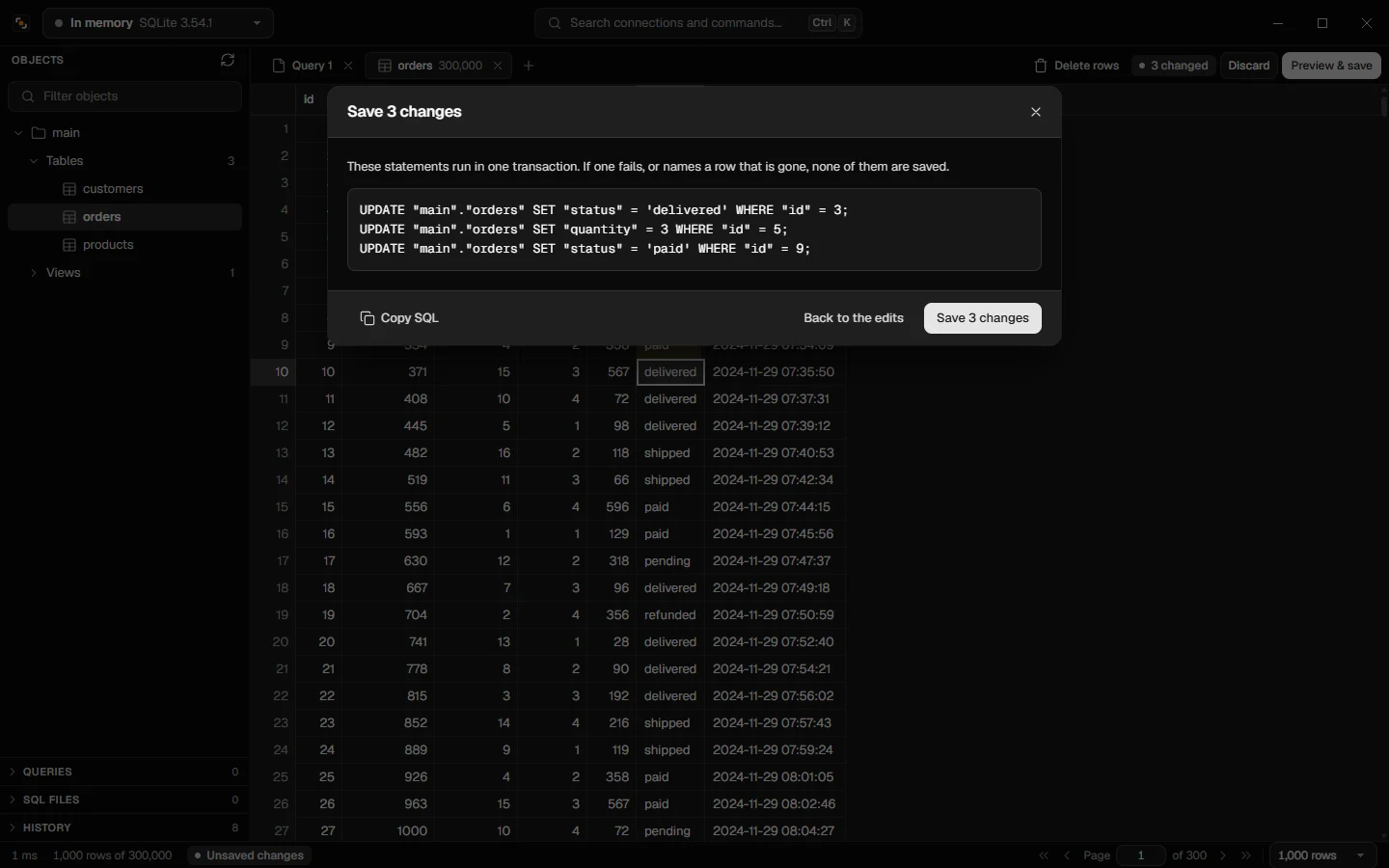
Change cells.
Read the SQL.
Then save.
Every edit shows the exact statements first, and saves all or nothing.
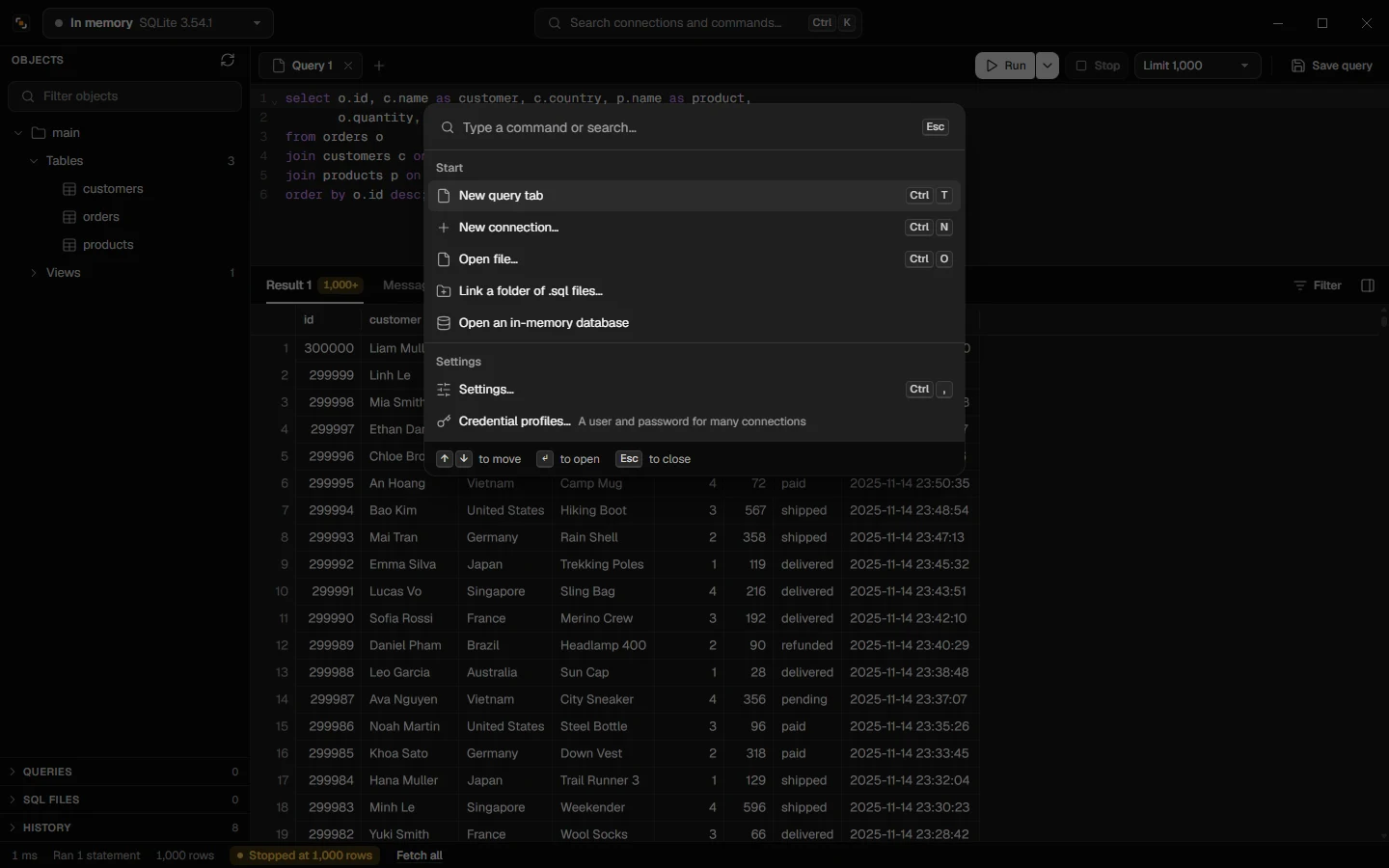
Keyboard first.
Every connection and command, one shortcut away.
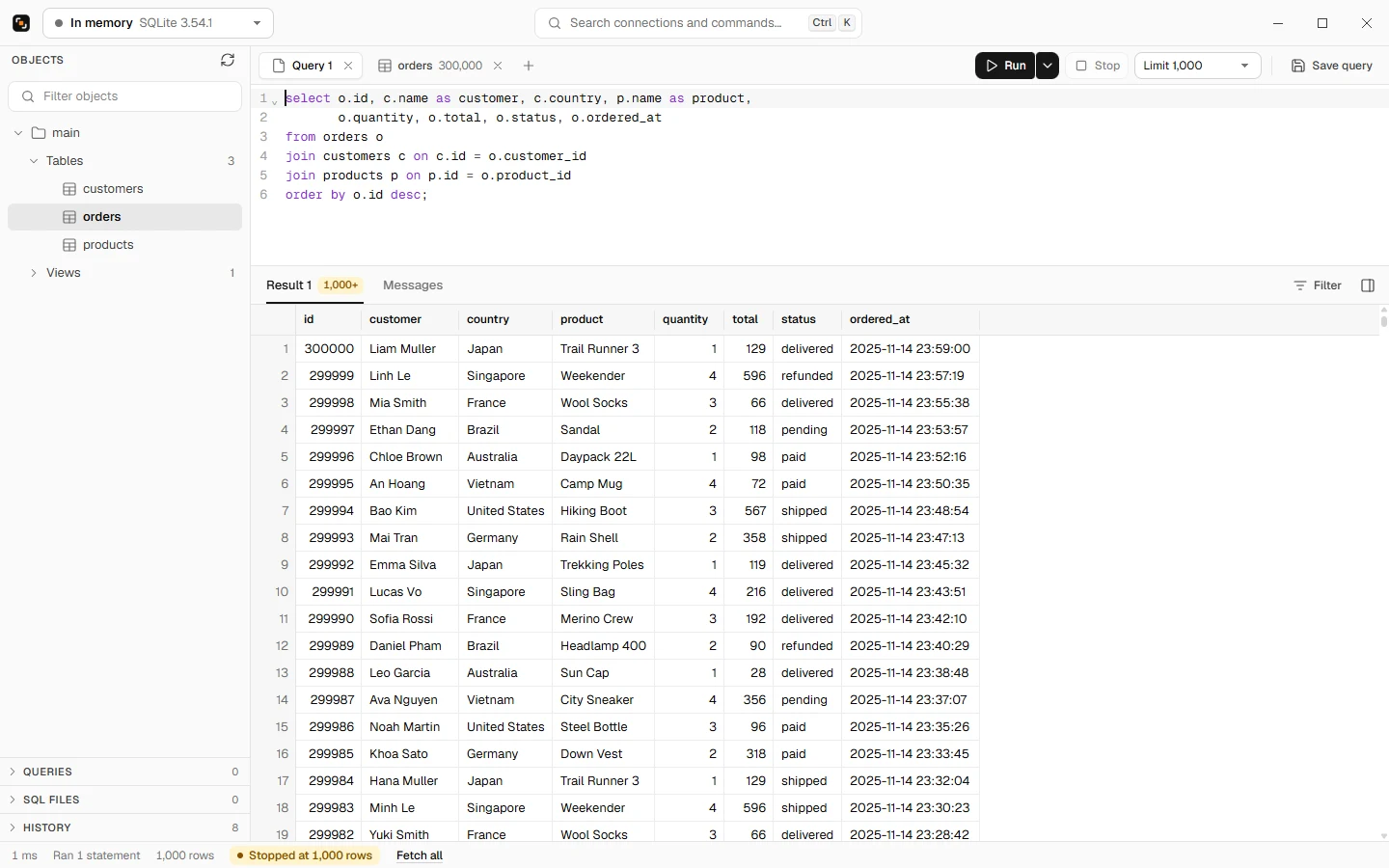
Quiet frame.
Loud data.
Black and white, so the only thing that stands out is your data.
Live tabs
NOTIFY, pub/sub, Realtime and queues, as rows.
SSH tunnels
Password or key, with the host checked.
Passwords stay put
In Windows Credential Manager, never in a file.
A safe row limit
It never cancels a statement that writes.
Questions
What is Kemable?
Kemable is a free, open-source database client for Windows. One Rust core does the work and a light native window shows it, so it opens fast and stays smooth with millions of rows. It works with SQLite, PostgreSQL (Neon and Supabase too), SQL Server, Redis, Cloudflare D1, RabbitMQ and Firebase.
Is Kemable free?
Yes. Kemable is open source under the AGPL-3.0 license, free to download and use. A commercial license is offered to anyone who wants to use it without the AGPL's conditions.
Does Kemable run on macOS or Linux?
Not yet. Kemable 0.1 runs on Windows 10 and 11 (x64). macOS and Linux versions will come later, built on the same core. The home page has a waitlist for each: leave your email there to hear once when it is ready.
How does Kemable stay fast with millions of rows?
Rows stream from the server into a grid drawn on a canvas, and only the rows on screen are painted. Measured on a 2,000,000-row query: 1.07 s to stream every row, and 0.13 s to sort them by a number.
Can I edit table data safely?
Yes. Before saving, Kemable shows the exact SQL statements an edit will run, and saves them all or none. Inside a transaction you opened yourself, it saves under a savepoint and never commits or ends your transaction.
Does Kemable send my data anywhere?
No. Kemable has no account, no server of its own and no telemetry. It connects only to the servers you enter. At launch it asks GitHub once whether a newer version exists, and that check can be turned off.
Where does Kemable keep my passwords?
In Windows Credential Manager, under your Windows account, never in a file. A saved password is sent only to the host, port and user it was saved for.
Join the Waitlist MacOS and Linux.
Leave your name and email, and pick the systems you want. We write once, when each is ready.
Open your data in seconds.
Open source under AGPL-3.0. No telemetry.